2026 calorie tracking app comparison
Best Calorie Tracking Apps 20266 Picks Compared
Explore six calorie tracking apps with a side-by-side comparison of features, free and paid plans, supported platforms, and everyday usability. Find the right fit for your tracking routine.
Editorial disclosure: Macroful publishes this guide and appears in it. Picks reflect documented features and practical use cases, not laboratory accuracy tests or paid placement.
At a glance
Which calorie tracking app is right for you?
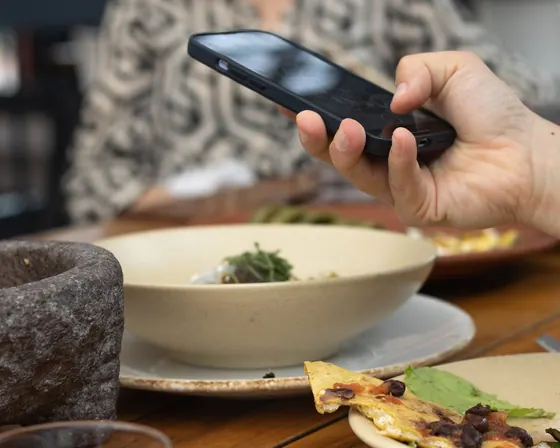
For everyday tracking on iPhone, Macroful is our top pick: snap a meal and log calories and macros in seconds. Barcode Scan and Text AI give you more ways to log when a photo isn’t convenient. The other apps are worth considering for specific priorities, like in-depth nutrient analysis, weight-loss budgeting or photo logging on Android.





Side by side
What you get before you subscribe
A fast everyday tracker should fit different meals: photo or album scan for homemade dishes, Text AI when there is no photo, and barcode or label scan for packaged foods. Compare which features are Free or Paid across all six apps.
Swipe across to compare all six apps.
Free = no subscriptionPaid = subscription— = not confirmed
| Feature | Macroful8.6 / 10 | Cronometer8.5 / 10 | MyNetDiary8.3 / 10 | Cal AI8.1 / 10 | MyFitnessPal7.7 / 10 | Lose It!7.4 / 10 |
|---|---|---|---|---|---|---|
| Tracking | ||||||
| AI photo scan | Paid | Paid | Paid | Paid | Paid | Paid |
| Photo from album | Paid | Paid | — | Paid | Paid | Paid |
| Barcode scan | Free | Free | Free | Free | Paid | Paid |
| Text AI: type what you ate | Paid | Paid | Paid | Paid | — | — |
| AI voice meal logging | — | Paid | Paid | Paid | Paid | Paid |
| Nutrition label photo scan | Paid | Paid | Paid | Paid | — | Paid |
| Food database search | Free | Free | Free | Free | Free | Free |
| Analysis | ||||||
| Calories & macros | Free | Free | Free | Free | Free | Free |
| Micronutrient detail | — | Free | Free | — | Free | Free |
| Custom macro goals | Free | Free | Free | — | Free | Paid |
| Daily life & data | ||||||
| Saved meals / recipes | Free | Free | Free | — | Free | Free |
| Apple Health / activity sync | Free | Free | Free | — | Free | Paid |
| Data export | — | Free | — | — | Paid | Free |
| Platforms | ||||||
| iPhone | ||||||
| Android | ||||||
| Web version | — | |||||
| Pricing | ||||||
| Premium pricing | $44.99 / year$9.99 / month | $59.99 / year$10.99 / month | $59.99 / year$8.99 / month · offers vary | $29.99 / year*$9.99 / month* | $79.99 / year$19.99 / month | $79.99 / year$9.99 / month* |
Our take: Macroful ranks first in this editorial comparison for flexible, everyday iPhone calorie tracking. Photo scans, existing album photos, Text AI and free barcode or database entry cover different meals and situations. Cronometer ranks second overall, but leads on detailed nutrient analysis, including vitamins and minerals. This ranking reflects the published criteria, not independently tested recognition accuracy.
Comparison notes: Features, plans and prices can vary by platform or region. Comparison updatedOctober 11, 2026.
Pricing & feature notes
Free = no subscription; Paid = subscription required; — = availability or subscription tier not verified. Feature comparisons focus on iPhone unless a platform is explicitly named.
Nutrition-label photo scanning and barcode scanning are separate features; access can also differ between iPhone and Android. AI voice logging means interpreting a spoken meal description, not simply dictating a food database search. Data exports vary in format and scope. These differences matter when comparing access tiers.
The currency selector shows regional App Store price points, not converted amounts. Prices are displayed as annual and monthly options, but some App Store listings show multiple offers without clearly identifying the billing period. An asterisk (*) flags an offer or billing-period interpretation that could not be confirmed as a standard subscription. Some Lose It! monthly prices remain unlisted. Check the local checkout for the actual price and renewal term.
Macroful publishes this comparison and is one of the apps reviewed. Feature details draw on publicly available provider information; scores are subjective editorial assessments, not independent usability, speed or calorie-accuracy tests.
Before you decide
What the feature table can't tell you
A feature list won't show how easy it is to fix a meal, log the same food tomorrow, or understand the price after a trial. Test those three things before choosing an app.
Fix a meal, not just log it
Log a bowl with rice, chicken and vegetables. Now change the rice from half a cup to a full cup and add the oil or sauce you forgot. Can you correct individual ingredients and portions without entering the whole meal again? The useful test is how easily you can correct the meal entry.
Repeat tomorrow's breakfast
Try logging the same breakfast on day two, but with two eggs instead of three. Can you reuse yesterday's entry or a saved meal, change the portion and find your previous log? If a routine meal takes just as much work every time, the app may become a chore.
Check the renewal price
Find the exact plan that unlocks the features you want. Compare the yearly charge with 12 monthly payments, note when any free trial ends, and check the renewal price rather than just a promotional offer. If you need health sync or data export, confirm whether your chosen tier includes it.
Want a useful target for your test meals? Start with our calorie calculator, then compare how clearly each app shows your progress toward that target.
The six picks
A closer look at each calorie tracking app
See where each app works best, what its free plan covers, and which limitations matter before you subscribe.
Macroful
Best for fast, everyday photo trackingPick 1 · Snap a meal and log calories and macros in seconds, without entering every ingredient manually.
Macroful is for people who do not want every meal to start with a food database search. AI Photo Scan gives you a calorie and macro breakdown from a meal photo. When you do not have a photo, Text AI lets you type what you ate in everyday language. That choice between photo and natural-language logging is its biggest everyday advantage.
For a homemade bowl, scan the meal and review the ingredients and portions before saving. Forgot to take a photo? Type something like "chicken with rice and avocado" into Text AI instead. For packaged food, the barcode scanner and food database search are free. You can also use an existing album photo or scan a nutrition label. Photo, album, Text AI and label scans require Premium.
Rating breakdown
Logging: 9.5/10 · 50%
AI photo scans turn meal pictures into calorie and macro entries. Album scanning makes it easy to track meals from existing photos, while Text AI, barcode and food database search cover other situations. Photo AI, Text AI and nutrition-label photo scanning require Premium.
Daily use: 9.5/10 · 25%
Fast photo-first meal entry, saved meals and the option to import an existing photo support repeatable daily logging. Ease is inferred from the documented workflow, not timed user tests.
Nutrition: 3.5/10 · 15%
Calorie and macro focus, without Cronometer-level vitamins, minerals and micronutrient reporting.
Value: 9.0/10 · 10%
At the listed US price, several premium AI inputs sit alongside free traditional logging. Users who want only a free diary may find better value elsewhere.
Subjective publisher-assigned feature-fit ratings based on the published methodology and provider documentation. Not user ratings, independent performance tests or measurements of calorie accuracy.
Strengths
- Photo logging with a calorie and macro breakdown, without searching for each food
- Natural-language Text AI: type a meal description instead of building it ingredient by ingredient
- Six logging methods, including free barcode and food database options for packaged foods
Limitations
- iPhone only; no Android app or full web food diary
- Photo, album, Text AI and nutrition-label photo scanning require Premium
- Designed for calories and macros, not detailed vitamin and mineral analysis

Cronometer
Best for in-depth nutrient analysisPick 2 · Look beyond calories and macros with detailed insights into vitamins, minerals and other nutrients.
Cronometer is built for people who want to understand more than a daily calorie total. Its free Basic plan combines a food diary and barcode scanner with detailed data on vitamins, minerals and other nutrients. Cronometer lists support for up to 95 nutrients and compounds, making it especially useful when nutritional detail matters as much as macros.
You can scan a packaged food for free, set the portion and check nutrients such as iron or magnesium against your targets. Homemade meals can be entered ingredient by ingredient, while Photo Log and Voice Log are available with Gold. Choose Cronometer if you want to examine your diet closely; if you only need a quick calorie and protein total, its extra reports may be more detail than you need.
Rating breakdown
Logging: 8.2/10 · 50%
Free food database search and barcode scanning support conventional entries. Gold adds AI photos (including saved images), nutrition-label photo scanning and natural-language voice or typed meal input.
Daily use: 8.2/10 · 25%
A capable diary with repeatable entries, but detailed nutrition screens can add complexity for a simple daily calorie log. Not based on timed tests.
Nutrition: 10.0/10 · 15%
Extensive vitamin, mineral and other nutrient reporting is the clearest strength in this comparison.
Value: 8.5/10 · 10%
The free diary, barcode scanning and broad nutrient analysis offer value; Gold adds photo, label-photo and voice logging.
Subjective publisher-assigned feature-fit ratings based on the published methodology and provider documentation. Not user ratings, independent performance tests or measurements of calorie accuracy.
Strengths
- Free barcode scanner and detailed food diary
- Tracks up to 95 nutrients and compounds, including vitamins and minerals
- iPhone, Android and web support; paid photo and voice logging with Gold
Limitations
- Photo and voice logging require Cronometer Gold
- Nutrient-heavy reports can add detail you may not need for simple calorie tracking
MyNetDiary
Best for a detailed free food diaryPick 3 · Keep a detailed diary of your meals and nutrition, with traditional logging instead of a photo-first approach.
MyNetDiary is a strong option if you want to track food in detail without paying for the basics. Its free diary includes barcode scanning, calorie and macro tracking, and extensive nutrient information. The company says its food database is checked by its own staff, which makes it particularly appealing if you prefer selecting specific foods and portions.
For a packaged yogurt, scan the barcode for free, confirm the match against the label, and adjust the serving you actually ate. You can also search foods and review nutrients beyond calories and protein. Photo-based Meal Scan is available, but requires Premium. MyNetDiary makes the most sense when a detailed, traditional food diary matters more to you than starting every entry with the camera.
Rating breakdown
Logging: 8.0/10 · 50%
Barcode scanning, food database search and basic voice logging are free. Nutrition-label photo scanning and Meal Scan require a paid plan; AI food logging by typed description and whole-meal AI Voice Logging require Premium Plus.
Daily use: 8.4/10 · 25%
Broad diary and recipes work for routine use, while the breadth of features may be more than a minimalist tracker needs.
Nutrition: 9.0/10 · 15%
Offers detailed nutrient information beyond calories and macros, though this rating is not a laboratory data-quality comparison.
Value: 8.5/10 · 10%
Free barcode scanning, food database search, basic voice logging, custom macro goals and detailed nutrients provide value. Nutrition-label photo scanning and Meal Scan require a paid plan; whole-meal AI Voice Logging requires Premium Plus.
Subjective publisher-assigned feature-fit ratings based on the published methodology and provider documentation. Not user ratings, independent performance tests or measurements of calorie accuracy.
Strengths
- Free barcode scanning and a full food diary, not just a free app download
- Staff-verified food database with up to 108 nutrient fields per food
- iPhone, Android and web access for tracking across devices
Limitations
- Photo-based Meal Scan requires Premium
- Advanced diet tools and AI assistance are reserved for paid plans
Cal AI
Best for photo-first tracking on AndroidPick 4 · Choose a camera-first calorie tracker that also works on Android.
Cal AI puts the camera at the center of food tracking. Photograph a meal to get an AI-generated calorie and macro breakdown, then review the result before saving it. Free barcode scanning and food database search offer alternatives, but the main reason to choose Cal AI is photo-based logging on either iPhone or Android.
At a restaurant, a photo can give you a starting point for logging a mixed plate. You still need to check portion sizes and ingredients the camera cannot see. Food-scanning analysis requires a subscription, while barcode scanning and food database search are free. Cal AI also says subscriptions do not transfer between iPhone and Android, so check that before committing to an annual plan.
Rating breakdown
Logging: 9.0/10 · 50%
Cal AI offers photo logging, album uploads, and AI meal descriptions by text or voice. Those AI logging tools, food-scanning analysis and nutrition-label photo scans require Premium; barcode scanning and food database search are free.
Daily use: 8.0/10 · 25%
Convenient camera-led workflow for photographed meals, but those preferring manual or free entry may find the subscription requirement limiting.
Nutrition: 5.7/10 · 15%
The reviewed feature set centers on calories and macros rather than extensive micronutrient analysis.
Value: 7.0/10 · 10%
Free barcode scanning and food database search provide no-cost entry options, while photo, AI text and AI voice logging require Premium. US subscription prices vary between offers.
Subjective publisher-assigned feature-fit ratings based on the published methodology and provider documentation. Not user ratings, independent performance tests or measurements of calorie accuracy.
Strengths
- Camera-first logging with an AI-generated calorie and macro breakdown
- Photo tracking available on both iPhone and Android
- Free barcode scanning and food database search for non-photo entries
Limitations
- Food-photo analysis requires a subscription; downloading the app is not enough
- Subscriptions cannot be transferred between iPhone and Android
MyFitnessPal
Best for an all-in-one fitness diaryPick 5 · Bring meals, recipes, exercise and connected fitness apps into one diary.
MyFitnessPal brings food and exercise into the same diary. The free plan lets you log meals and workouts, save your own foods and recipes, and connect supported fitness services. That is useful if you want to see nutrition alongside activity rather than use a calorie tracker on its own.
If you cook from saved recipes, track workouts or already use connected fitness apps, MyFitnessPal can keep those routines together. You can do much of that without paying, but barcode scanning and camera-based Meal Scan require Premium. Meal Scan also has device and language requirements. Premium+ adds meal planning in supported countries, so check which tier actually includes the tools you want.
Rating breakdown
Logging: 7.8/10 · 50%
Broad food database search and manual entry; barcode and photo Meal Scan are paid features, limiting free fast logging.
Daily use: 7.8/10 · 25%
Saved foods, recipes, exercise and integrations support established routines, though the app serves more workflows than simple meal logging.
Nutrition: 8.5/10 · 15%
Reports selected nutrients and provides richer analysis on paid plans, but lacks Cronometer's depth in this comparison.
Value: 6.0/10 · 10%
A usable free diary, while barcode, photo logging and advanced controls require a comparatively expensive Premium tier.
Subjective publisher-assigned feature-fit ratings based on the published methodology and provider documentation. Not user ratings, independent performance tests or measurements of calorie accuracy.
Strengths
- Free food, recipe and exercise logging in one diary
- Integrations with supported fitness apps, plus iPhone, Android and web access
- Premium nutrition insights and scanning; Premium+ meal planning where available
Limitations
- Barcode scanning and photo Meal Scan are not included in Free
- Meal Scan requires a supported device and an English-language app setting
- Premium+ meal planning is only offered in selected countries
Lose It!
Best for straightforward calorie budgetingPick 6 · Stay focused on weight-loss goals with a clear daily calorie budget.
Lose It! starts with a weight goal and turns it into a daily calorie budget. You log food, see how much of that budget remains, and follow your weight-loss progress over time. It is a good fit when staying within a calorie target matters more than collecting detailed vitamin and mineral reports.
The free plan covers a calorie budget, basic food logging and weight-goal tracking, with community features for extra motivation. If searching for each food feels fine, that may be enough. But barcode scanning, photo-based Snap It and AI voice entry are Premium features. Someone who scans packaged products every day should compare the paid price before choosing Lose It! over a free-barcode alternative.
Rating breakdown
Logging: 7.5/10 · 50%
Straightforward manual logging and food database search; barcode, photo and voice-based convenience functions are Premium.
Daily use: 8.0/10 · 25%
A clear daily calorie-budget workflow favors consistency, with less emphasis on flexible free entry methods.
Nutrition: 6.8/10 · 15%
Adequate core calorie and macro reporting, with less documented micronutrient depth than specialist nutrition trackers.
Value: 6.3/10 · 10%
Free calorie-budget basics are useful, but most convenience options require Premium; offers and promotions vary.
Subjective publisher-assigned feature-fit ratings based on the published methodology and provider documentation. Not user ratings, independent performance tests or measurements of calorie accuracy.
Strengths
- Personalized daily calorie budgets tied to weight-loss goals
- Free food logging, weight-progress tracking and community support
- Premium adds photo and voice logging when manual entry is not enough
Limitations
- Barcode, photo and AI voice logging require Premium
- Advanced nutrition goals, meal planning and fitness-device connections are paid features
Sources and review: Features, plan access and reference prices were reviewed using publicly available provider information and App Store listings in October 2026. Some plan details are not independently confirmed and are marked accordingly; availability and offers can change.
Side-by-side comparison
MyFitnessPal vs Lose It! vs Cronometer
MyFitnessPal, Lose It! and Cronometer all track calories, but they serve different needs. The key differences are how they support your daily routine, how much nutrition detail they provide, and what you can do without paying.
Pick MyFitnessPal — For food and fitness tracking
Choose MyFitnessPal if you want your food diary, recipes, workouts and connected fitness apps in one place. Basic food and exercise logging is free, but barcode scanning and Meal Scan require Premium, so it is less attractive if free scanning is a priority.
Pick Lose It! — For weight loss and calorie budgeting
Choose Lose It! if your main goal is staying within a daily calorie budget. It connects your weight-loss target with food logging and progress tracking. Basic logging is free, while barcode scanning, photo logging and AI voice entry require Premium.
Pick Cronometer — For detailed nutrition tracking
Choose Cronometer if calories and protein are not enough. Its free diary includes barcode scanning and detailed information on vitamins, minerals and other nutrients. Photo and voice logging require Gold.
Questions people ask before downloading
What is the best calorie tracking app in 2026?
There isn't one best app for everyone. If you want to track calories and macros without entering every ingredient manually, Macroful is a strong option for iPhone users. Cronometer is better suited to detailed nutrient tracking, while MyFitnessPal makes sense if you want food and exercise in the same diary. The right choice depends on what you track and how you prefer to log your meals.
Which calorie tracker is best for photo tracking on iPhone?
For quick photo-based logging on iPhone, Macroful stands out for its straightforward workflow. Take a meal photo or select one from your album, review the calorie and macro breakdown, and adjust portions before saving. Photo scanning requires Premium. Cal AI is another option worth considering if you prefer a camera-first approach.
Which calorie tracker offers the best value for everyday logging?
Value depends on which features you actually use. If you regularly photograph meals or prefer describing them in your own words, Macroful's Premium features can save you repetitive manual entry. Barcode scanning and food database search are free. If detailed vitamin and mineral tracking matters more to you than logging speed, Cronometer may offer better value.
Which calorie tracker has a free barcode scanner?
Macroful, Cal AI, Cronometer and MyNetDiary offer free barcode scanning. MyFitnessPal and Lose It! require Premium for barcode scans. If you often track packaged foods, check what the scanner costs before choosing a subscription.
How accurate is AI photo calorie tracking for homemade meals?
A photo scan can identify visible foods and provide a calorie and macro breakdown, but it can't show every ingredient, cooking oil or exact weight. Check the suggested foods and portions before saving. If precise quantities matter, weigh or measure them rather than relying on the photo alone.
Is Macroful available on Android?
No. Macroful is currently available on iPhone only. Cal AI is a photo-first Android option; Cronometer, MyNetDiary, MyFitnessPal and Lose It! also offer Android apps.
How we put this comparison together
Editorial score weighting (0–10)
- Logging
- 50%
- Available ways to enter food, including subscription restrictions.
- Daily use
- 25%
- Convenience of everyday logging and clear diary summaries.
- Nutrition
- 15%
- Depth of nutrients beyond calories and macros.
- Value
- 10%
- Available logging features relative to subscription cost and free access.
Each category is scored editorially out of 10 from the described capabilities and limitations. The overall score is their weighted average rounded to one decimal. Individual category scores appear as progress rings in the six reviews. These are subjective assessments by Macroful, which also appears in the guide; they are not independently measured accuracy, laboratory tests or App Store user ratings. This ranking follows weighted scores for everyday iPhone calorie and macro tracking. Apps are ordered by the unrounded weighted score; displayed totals are rounded to one decimal, so a visually equal score may hide a small difference. Platform support is compared in the feature table but does not enter the iPhone-specific score. The category explanations under each app set out the evidence and editorial judgment behind each rating. No usability, speed or recognition-accuracy tests were performed.
We selected six apps relevant to English-speaking audiences and compared their documented platforms, free features, barcode and photo access, nutrition detail and daily logging fit. Provider features were reviewed October 2026. Plan names and availability may change. This editorial guide is not a hands-on speed test, medical assessment or independent accuracy study.
Macroful ranks first under these stated weights because its photo and album scans, Text AI, free barcode scanning and food database search cover several common iPhone logging situations. Photo, album, Text AI and nutrition-label photo scans require Premium. The score reflects workflow flexibility and a focused diary, not a claim that Macroful is more accurate or faster than competing apps. Macroful scores lower for nutrition depth because it does not provide Cronometer-level micronutrient analysis. Cronometer is therefore a stronger choice for detailed nutrient tracking; Cal AI also offers photo-first logging on Android.
Learn more about photo food logging in our photo calorie counter guide.
Flexible logging
Make your next meal a useful test.
Macroful
Snap your meal. See your macros. Log your day.